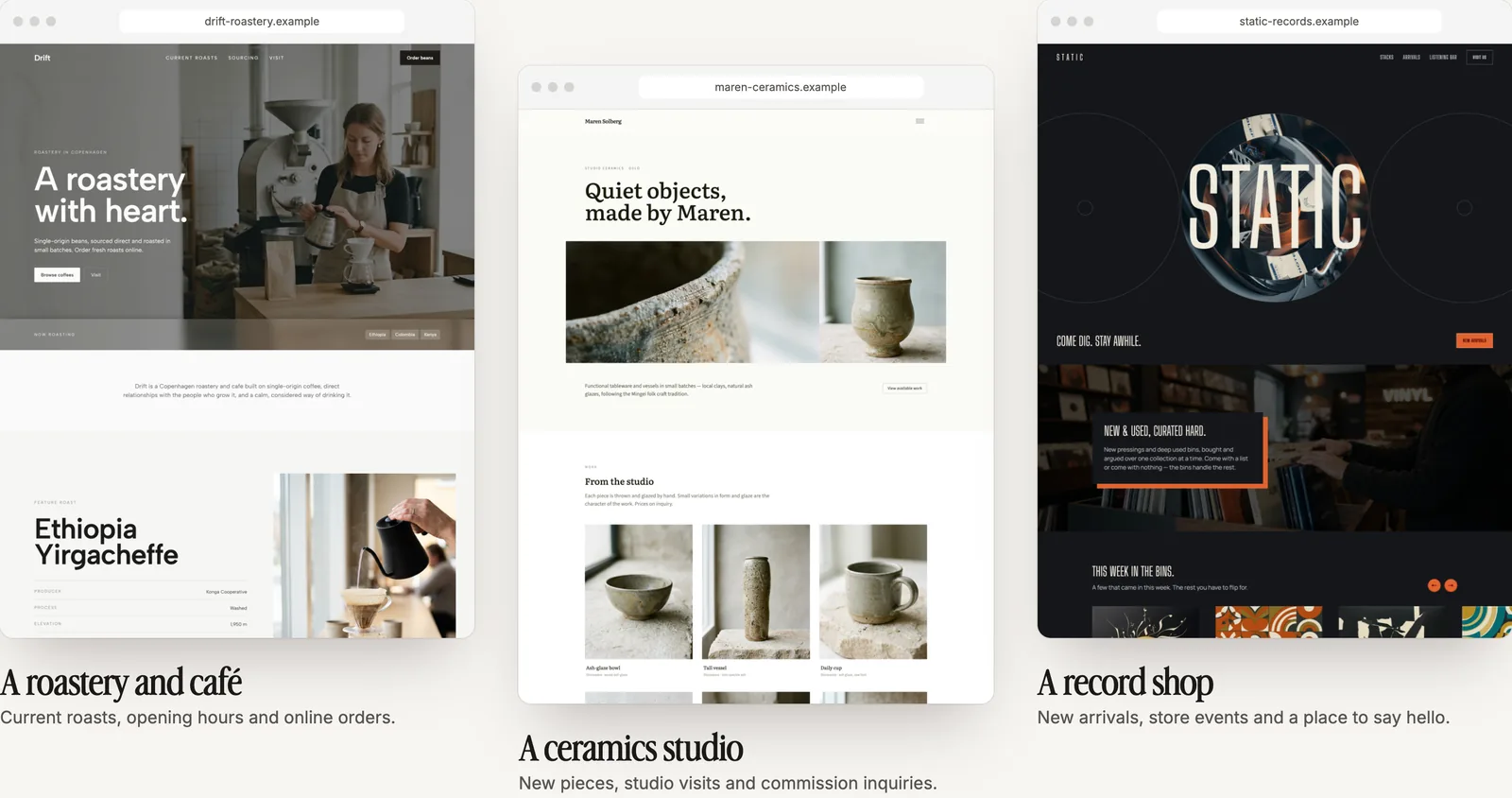
AI website builders are everywhere right now. With just a few prompts, you can generate a full website that looks polished and professional. For small business owners or side hustlers, that feels like a dream come true. And to be fair, it really can be.
But once you actually try building with AI, you might notice that it’s not always as smooth as it looks in the ads. Let’s dig into what makes AI website builders exciting, where they fall short, and how you can combine them with traditional no-code tools to get the best results.
Why People Love AI Website Builders
There are plenty of reasons why AI has become such a popular way to build websites. First, there’s the speed. You can go from nothing to a functional draft in minutes, which is a huge contrast to the hours or even days traditional builders might take.
Another big benefit is accessibility. AI builders lower the barrier to entry for less design-savvy users. Even if you don’t have design experience, AI can take care of layouts, imagery, and even the text for your pages. And if nothing else, it gives you a head start. A blank canvas can be intimidating, but an AI-generated site gives you something to build on right away.
Some key reasons people love AI website builders:
- Speed: You can get a draft website tailored to your needs in minutes.
- Low barrier to entry: No design experience? No problem. AI handles layouts, images, and even copy.
- Idea starter: Even if you don’t keep everything AI generates, it gives you a foundation to work from instead of a blank page.
These benefits are real, and they’ve helped a lot of entrepreneurs launch their first websites faster than ever.
The Challenges People Run Into
Of course, it’s not all smooth sailing. Many people find that AI sites look nice at first but quickly start to feel a little too generic. The layouts can be repetitive, and the designs sometimes lack the personality that makes a brand stand out. Many users complain of AI builders being essentially a "template generator".
Control is another challenge. If you want to tweak a specific detail or add a feature that the AI didn’t include, it’s not always easy. Some platforms lock you into the first version or make changes harder than they should be.
And then there’s the content. While AI copywriting can save you time, it often sounds stiff or off-brand. Without editing, it may not connect with your audience the way you’d like.
Check out our post on creating copy with AI that doesn't feel generic.
The cons of AI building in a nutshell:
- Generic results: AI often produces sites that look “cookie-cutter,” without much personality or brand identity.
- Limited control: Want to tweak a design detail or add a feature the AI didn’t think of? Some platforms make this frustrating or impossible.
- Copywriting quirks: AI text can sound stiff, overly polished, or just plain off-brand if you don’t edit it.
- Over-reliance on automation: People sometimes expect AI to “just do it all,” and end up disappointed when they still need to customize.
- Inability to scale: An AI generated site can work decently if you only need basic functionality in a website, but as soon as you need more in-depth features of design, you will probably end up needing access to better tools.
Set Yourself Up for Success
Before you jump into an AI website builder, it’s worth taking a step back to get clear on what you actually need your site to do. Do you want to sell products online, capture leads, take bookings, or simply share information? Having that foundation makes a huge difference, because if you don’t know what you’re building toward, you risk getting locked into a site that looks good on the surface but doesn’t support your business goals.
This is where a little planning pays off. Think of it like drawing a simple map before you let AI drive the car. If you start with a clear picture of your brand, your content, and the features you’ll need, the AI can get you there faster. But if you leave it entirely up to the AI, you might end up with something that’s impressive at first glance but missing critical pieces.
Here are a few questions worth answering before you dive in:
- What is the main purpose of my website (sales, leads, information, community)?
- Which features are non-negotiable (ecommerce, forms, bookings, blog)?
- Who is my audience, and what kind of experience do I want them to have?
- How much flexibility will I need later if my business grows or shifts?
We talk about this on our Getting Started Guide: Setting up a strong foundation is one of the best ways to make your website journey smoother. Once you know your must-haves, you can let AI handle the heavy lifting, and then turn to a no-code editor for customization. That way, you’re not boxed in by limitations and can build a site that’s flexible, functional, and true to your vision.
Tips for Getting the Most out of AI Website Builders
If you’re ready to experiment with AI for your website, there are a few ways to make the experience smoother:
- Be as specific as possible with your prompts. The more detail you provide about your brand style, audience, and goals, the better the results will be.
- Think of AI as an assistant rather than a replacement. It can help with the heavy lifting, but you should stay in control of the final product.
- Choose a builder that combines AI with no-code editing. That way you can start fast but still have the flexibility to add and adjust as you go.
Next Steps in Your Website Building Journey
The best AI website builder gives you a useful starting point and the tools to make it your own. Pagecloud AI brings conversation and direct editing into the same workflow, so you can move beyond the first draft without writing a prompt for every detail.
Imagine you run a local landscaping business. Instead of asking for “a professional website,” describe the neighborhoods you serve, the work you specialize in and your goal: helping homeowners request a quote. Add your own project photos and service details. That gives the AI real business context to work with, rather than leaving it to fill a generic brief.
From there, you can address the common pitfalls directly:
- Generic copy: Ask for wording that fits your customers, then edit the text directly on the page. Replace broad promises with the services, experience and details that make your business different.
- Limited design control: Replace images, adjust your theme’s colors and fonts, change links, and move elements up or down yourself. Your site can reflect your business instead of stopping at the AI’s first suggestion.
- A first draft that feels final: Keep refining with your AI assistant or the hands-on controls. Undo and redo recent page edits during your current editing session as you try different approaches.
For the landscaping site, that might mean replacing a generic headline with “Garden design and seasonal care in Westboro,” adding photos of your own work and making the quote-request link easier to find. Before publishing, review your facts, mobile layout, links and forms.
Start with the basics of web design and a clear goal for your website. Then use AI to get moving and direct editing to make the details yours.