
Pagecloud media.
Get to know Pagecloud, download logos and screenshots and more. Looking for something else? Want to schedule a meeting? Email support@pagecloud.com.
About Pagecloud
Pagecloud website builder allows users to create and manage no-code, custom websites, online stores, landing pages, and “link in bio” pages. You can drag and drop or copy and paste content directly onto the page, create unique layouts, embed apps, build a storefront, and much more.
Why Pagecloud?
Pagecloud’s editor is easy to learn, and allows users to create using WYSIWYG editing for both desktop and mobile website layouts. Unlike other DIY website builders, Pagecloud has no restrictive layouts. You can customize every detail of a template with just a few clicks.
It’s easy to rearrange content, add menu items, customize text, add animations, build image galleries, and create a professional website that showcases your brand or business. Auto editing creates responsive websites that resize and reflow across screen sizes, and instantly creates mobile compatible sites.
Pagecloud is highly rated.





Logos
Symbol
A creative assembly of shapes representing the coming together of creativity, teams and community within Pagecloud.

Logo
Our Pagecloud logo, which includes the symbol and the Pagecloud logotype.
Usage
The Pagecloud symbol and logo are only to be used in either black or white. Please don’t modify our logo, stretch or rotate it, or apply any other colors. We’re proud of our brand and ask you to use it in a respectful manner. Please review and comply with our Trademark Usage Guidelines.
Download logosScreenshots
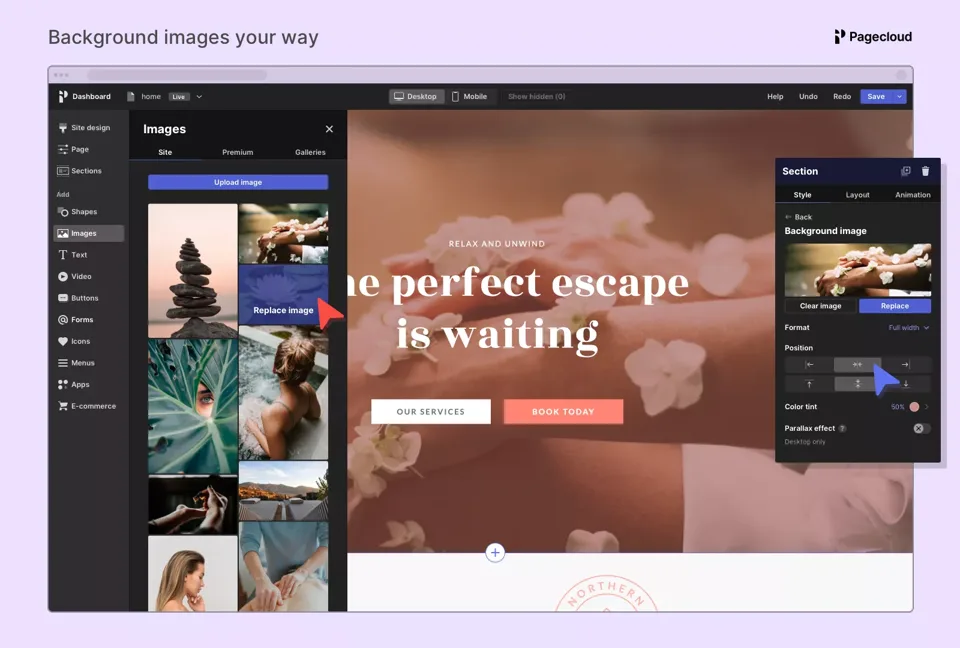
Annotated compositions
A collection of screenshot compositions that have some text and Pagecloud branding.
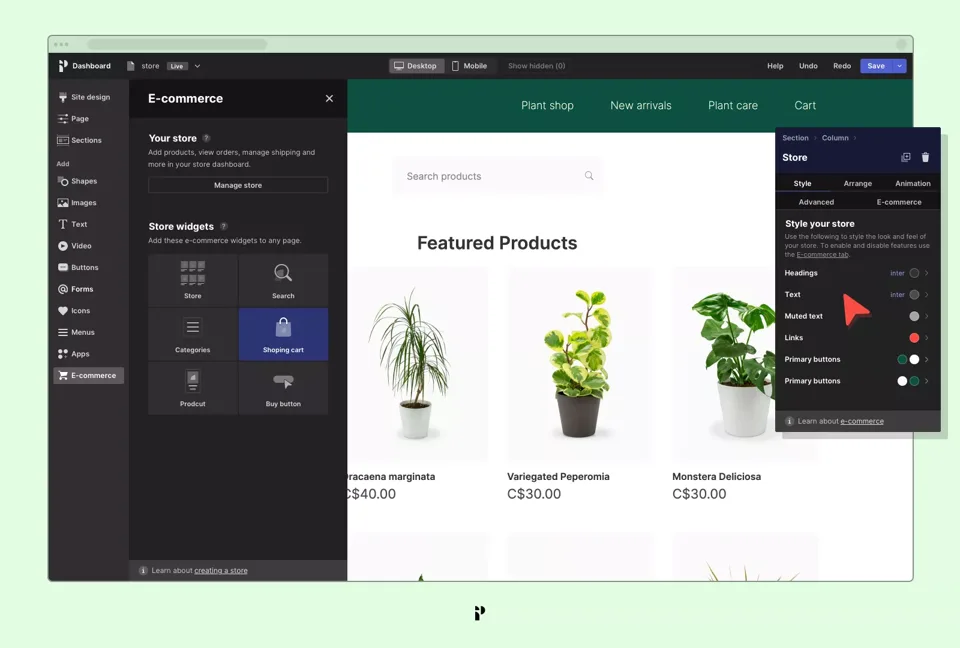
Compositions
A collection of screenshot compositions with no text but with Pagecloud branding.
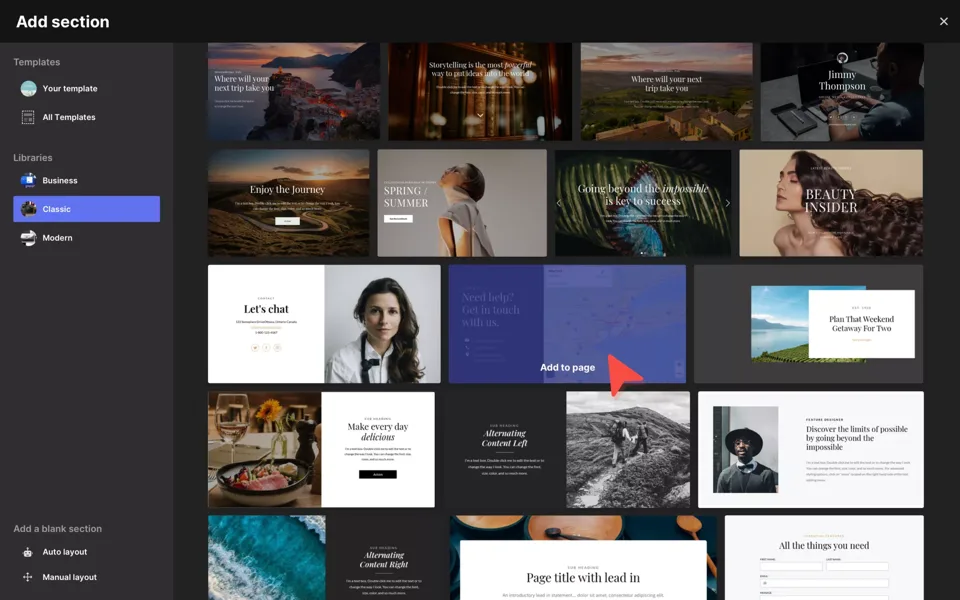
Screenshots
Just screenshots, no fluff, no branding.
Usage
We are happy to provide screenshots in a few formats. We ask that you do not modify the screenshots in any way. From time to time screenshots can become outdated; we do our best to keep this collection up to date. Please review and comply with our Trademark Usage Guidelines.
Download screenshotsPress
Are you creating a story about Pagecloud? Email support@pagecloud.com to schedule an interview.
- Semrush What’s New: Get Keyword Ideas with Pagecloud Integration Semrush is now integrated with Pagecloud. This new integration supports website creators and businesses in performing easy keyword research from directly inside the Pagecloud website and blog editor.
- Hosting Advice | Laura Bernheim Do-It-Yourself Web Design With PageCloud: Founder and CEO Craig Fitzpatrick Brings Liberating Visual Design Tools to All Users Drawing inspiration from the usability and design features found in Keynote, Craig Fitzpatrick reimagined the visual site-building experience when creating PageCloud. The recently redesigned website builder presents unlimited flexibility in drag-and-drop tools that appeal to users at all levels of experience.
- TechCrunch | Sam O’Keefe Where Are They Now? Startup Battlefield Company PageCloud The beauty of content management systems (CMS) like WordPress, Wix, Weebly and others is in the ability to create and build a complete website using just your browser. Designers are given the flexibility to make changes to their websites using simple browser-based tools, which means they don’t need to learn desktop tools like Dreamweaver or Photoshop or web programming languages like HTML and CSS.
- BetaKit How PageCloud plans to save the web (and why customers should pay for it) BetaKit speaks with Craig Fitzpatrick, the CEO of PageCloud, about the future of the web.
- The Globe and Mail Ottawa software startup PageCloud takes on WordPress It’s hard to recall a Canadian startup that has had as much advance buzz as Pagecloud.
- CMS Critic Interview with PageCloud CEO & Founder, Craig Fitzpatrick Over my many years monitoring the CMS / website builder space, I’ve seen a number of solutions come and go. I remember when products like Concrete5 launched and how much of an impact it made on the market.
- TechCrunch | Sarah Buhr PageCloud Wants To Simplify Website Creation PageCloud launched at Disrupt NY 2015 today to allow users to drag-and-drop photos, video, text or other elements onto a web page in order to create the look they want on a website. Much like other simplified web content management systems, such as Wix or Squarespace, PageCloud offers several pre-built templates, fonts and other elements to choose from. But it branches off from these other tools from there with the ability to take any element on the page and drop it into another location.
- Ottawa Business Journal PageCloud launches much-anticipated web editor software With more than $1 million in pre-orders and in excess of 8,000 licences already sold, Ottawa-based PageCloud officially launched its web editor software Monday.
Trademark usage guidelines
Pagecloud® is a registered trademark of Pagecloud Inc.
Your use of the Pagecloud name and brand assets indicates your acceptance of these common sense guidelines. We reserve the right to withdraw your permission to use our brand assets.
Please use the Pagecloud brand assets in a respectful manner.
Don’t mislead consumers as to Pagecloud’s sponsorship of, affiliation with or endorsement of your company or your products or services.
Pagecloud brand assets are our exclusive property. All goodwill that results from your use of our brand assets will be solely to our benefit. You will not take any action that is at odds with our rights or ownership of our brand assets.
When used on a web page please include a link to our homepage: www.pagecloud.com.
Pagecloud brand assets may not be used in a way that harms us, our products or services, or in a manner which, in our opinion, lessens or otherwise damages our reputation or the goodwill in our brand assets. In other words, please do not associate the Pagecloud brand assets with any illicit or illegal activities or use them in a way that is deceptive or harmful.