

September was full of the kind of changes you notice every day: fewer steps, fewer surprises, and a few things you've been asking for.
Chat knows which page you're on
Pagecloud AI now knows which page is on your screen, so you can say "change the headline" without naming the page. If it renames or deletes the page you're on, the editor follows along, and new pages open the moment they exist.
Replies are clearer too. Pagecloud AI now explains what it did in your terms, not ours.
Images that load faster
Hero images now load first, so the top of your page appears sooner for visitors. Very large uploads, like a huge logo file straight from a designer, no longer cause trouble for visitors on iPhone.
SVG uploads
You can now upload SVG files, the format most logos and icons come in, through chat or the Media panel, with safe previews.
See which pages are live
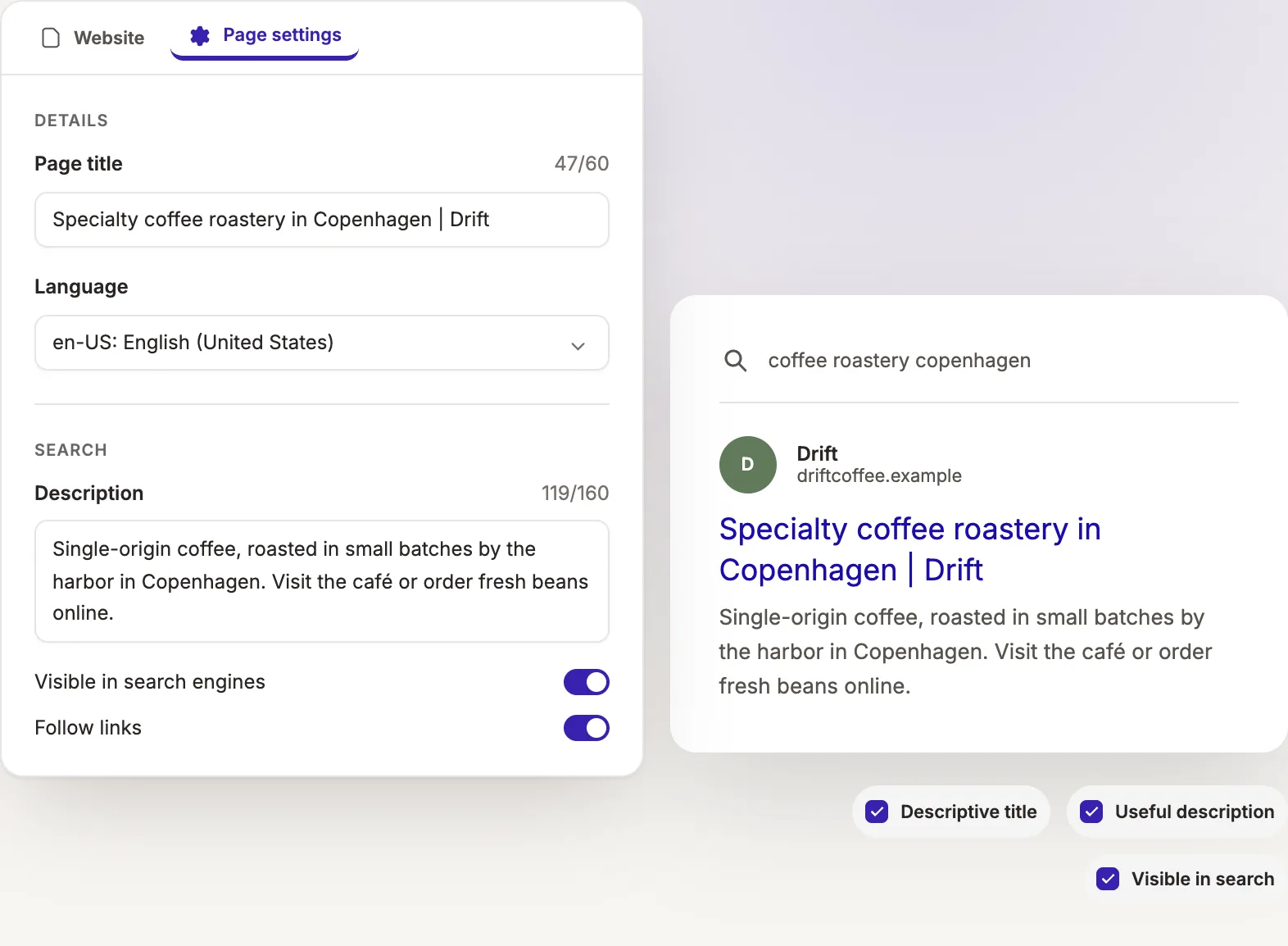
The pages list now marks pages that are Pending or still a Draft. Live pages have no marker, so you can tell at a glance what visitors can see. The settings gear next to each page opens its Page settings, where you can review its title, description and search visibility.
Forms that follow your settings
Forms on your site now use the success message and redirect you set for them in your dashboard. They also keep working when a visitor's browser has JavaScript turned off, so fewer messages slip through the cracks.
See how forms and the inbox work together.
Easier image editing
Cropping now respects the focal point of your photo, so the important part stays in frame. The image action that used to say "Replace selected" is now Update image, which says what it does.
You can also share photos while answering the first questions about your site, so Pagecloud AI can use them from the very first draft.
There's more on the image tools page.
Clearer custom domain setup
When you connect your own domain, the ownership record you need to add is now always shown in the main table, and if verification fails, you'll see why. Less guesswork.
Google Workspace email and editing with your team
Pagecloud AI sites can now use Google Workspace for email on your own domain. If your site is eligible, you'll find a Google Workspace link in your dashboard sidebar.
And team members on your account, administrators and editors, can now edit your Pagecloud AI sites. Building a website is easier when you're not doing it alone.
As always, thank you for building with us. Every update lives on our product updates page, and if you haven't tried it yet, start with Pagecloud AI.
Annual plans include a year of Google Workspace for one user. See pricing for what each plan includes.