

July was about control: more ways to shape your site yourself, more confidence that nothing gets lost, and a clearer path to putting your site on your own domain.
Your work saves as you go, and Publish puts it live
The Save button is gone. Your work now saves automatically as you edit, and when you're ready for visitors to see it, you press Publish. Two clear steps: working on it, and live.
The same release fixed a long list of rough edges that beta users ran into, including sites that got stuck loading, dropped connections, previews that wouldn't load, media you couldn't click, and edits that didn't save.
Edit images right on the page
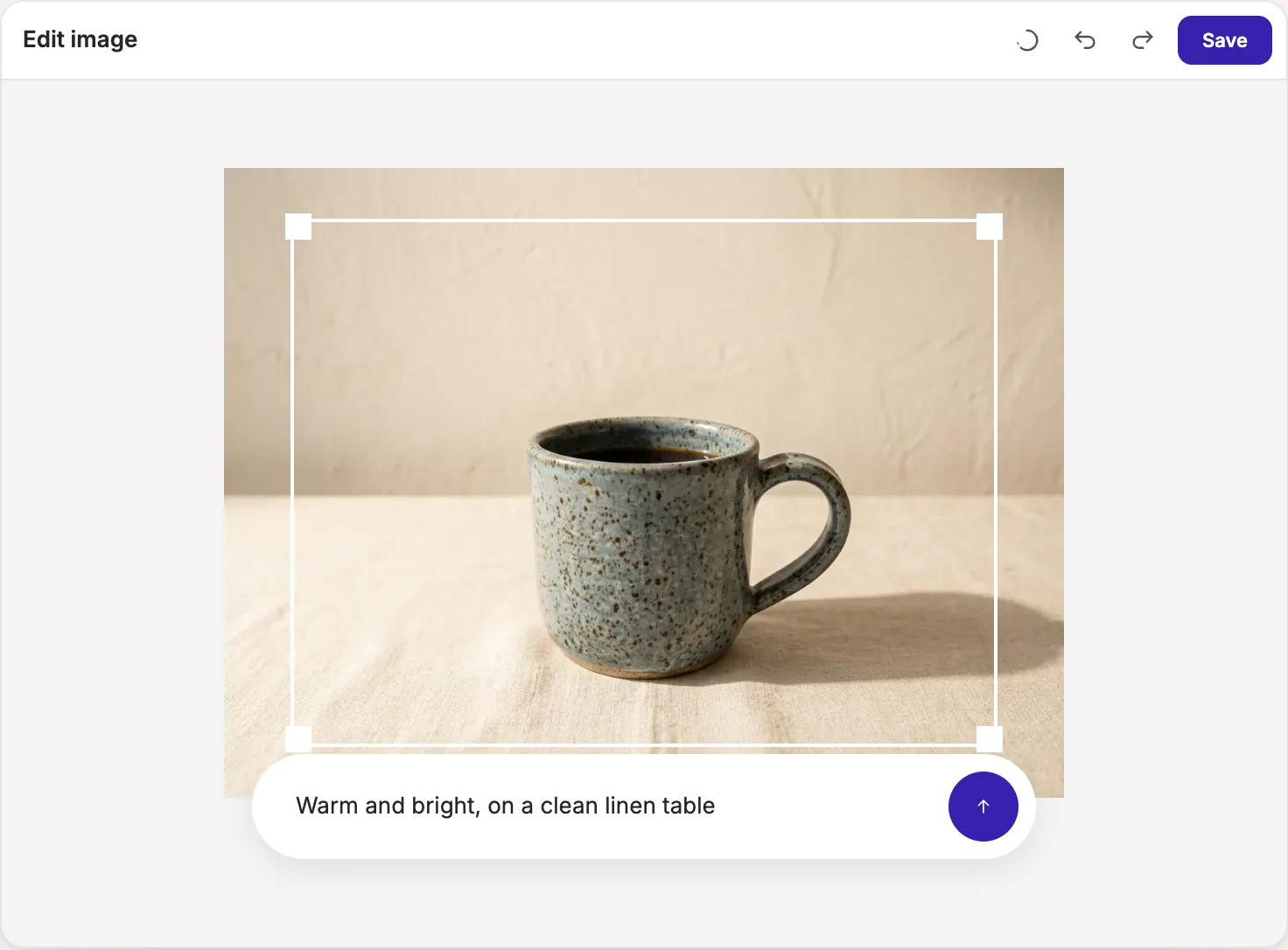
Select any photo on your page and you can now replace it, or open Edit image to crop, rotate or flip it. You can also describe a change, like "warm and bright, on a clean linen table", and ask Pagecloud AI to refine the photo for you.
Reference images you drop into chat now stick around for the whole conversation, so you don't need to add them again for every request.
Everything else you can do with photos is on the image tools page.
Analytics, redirects and SEO by chat
A few setup jobs that used to mean digging through settings are now one message away:
- Add your analytics tracking ID.
- Set up redirects, including wildcard redirects for whole sections of an old site.
- Turn your sitemap on or off.
- Control how search engines index your site.
Read more about SEO as you build and website analytics.
Chat and Design, side by side
Styling a selected element moved into a Design tab right next to Chat. Ask for a change in one tab, fine-tune it by hand in the other. Buttons now have their own style controls too, and you can move elements up and down the page from the element menu.
Undo anything, even the AI
Undo and redo were rebuilt from the ground up. They now cover changes Pagecloud AI made for you, not only your own edits. If a request didn't land the way you hoped, step back and try again.
Ship it on your own domain
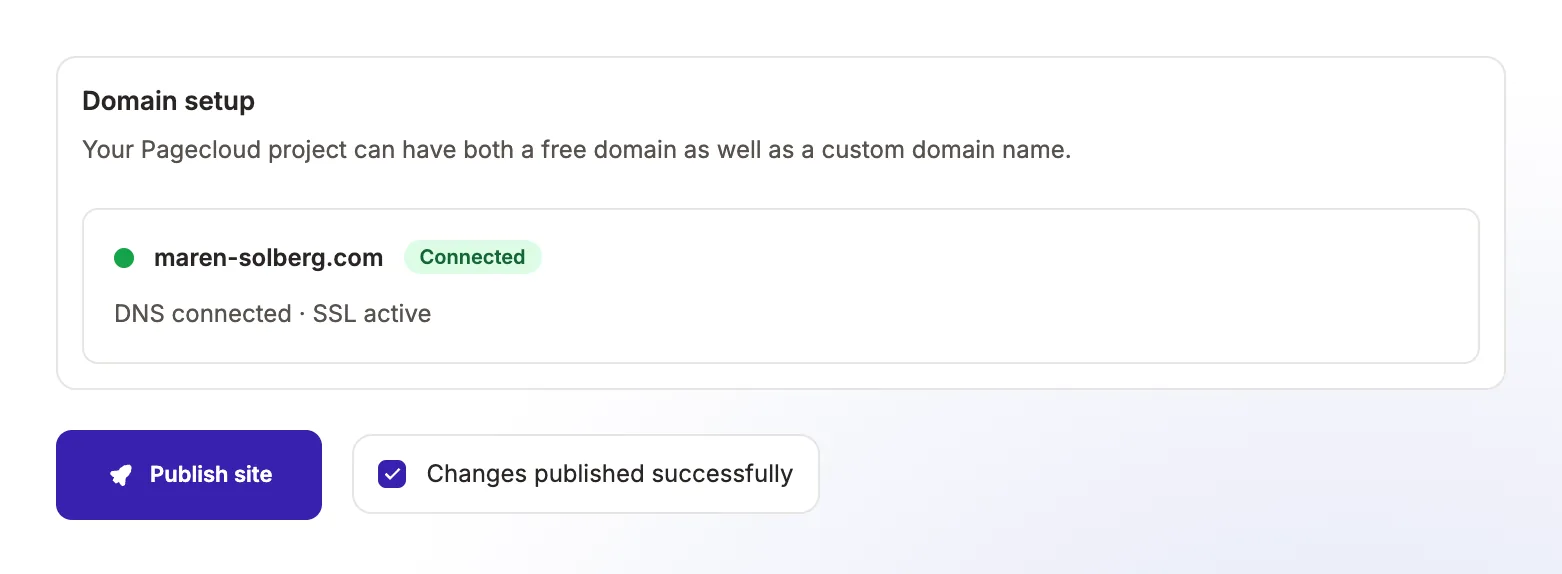
Connecting your own domain now walks you through clearer steps, with live certificate status so you can see when your site is secured and ready.
Your site can also have a proper browser-tab icon that follows it to a phone's home screen. Ask Pagecloud AI in chat to add or change it.
Annual plans include a free custom domain. The details are on the pricing page.
Better first drafts
New page layouts brought more variety and better pacing to first drafts. We wrote about how that works in How Pagecloud AI designs a page.
Thank you for all the feedback this month. Keep it coming, and follow along on our product updates page.